

Snowpea Agent

Just say it.Check the result.

Research, execution, summaries and reports in one go. Hand off the complex work and review only the result.

Ask for anything. Snowpea will do the work.

A smiling white pea in a green pod, the Snowpea mascot, on a glowing platform
  • Web research
  • Collect sources
  • Compare
  • Write the report
  • Review

Hand it off

From research to review, it keeps going on its own.

Snowpea Agent researches, gathers sources, compares and writes the report. All you do is check the outcome.

  1. Step 1

    Web research

    Searches for the latest information and gathers what is relevant.

  2. Step 2

    Collect sources

    Picks reliable material and organizes it.

  3. Step 3

    Compare

    Weighs what it found and draws out the key insights.

  4. Step 4

    Write the report

    Turns the insights into a polished report.

  5. Step 5

    Review

    Checks all the work and delivers the final result.

Repetitive work, automated

Set it once, and it handles the routine on schedule.

  • Tidy data
  • Send email
  • Convert documents
  • Manage schedules

Control

It shows the plan first. Runs only what you approve.

The agent tells you what it intends to do and waits for your answer. You decide how much to hand over, any time.

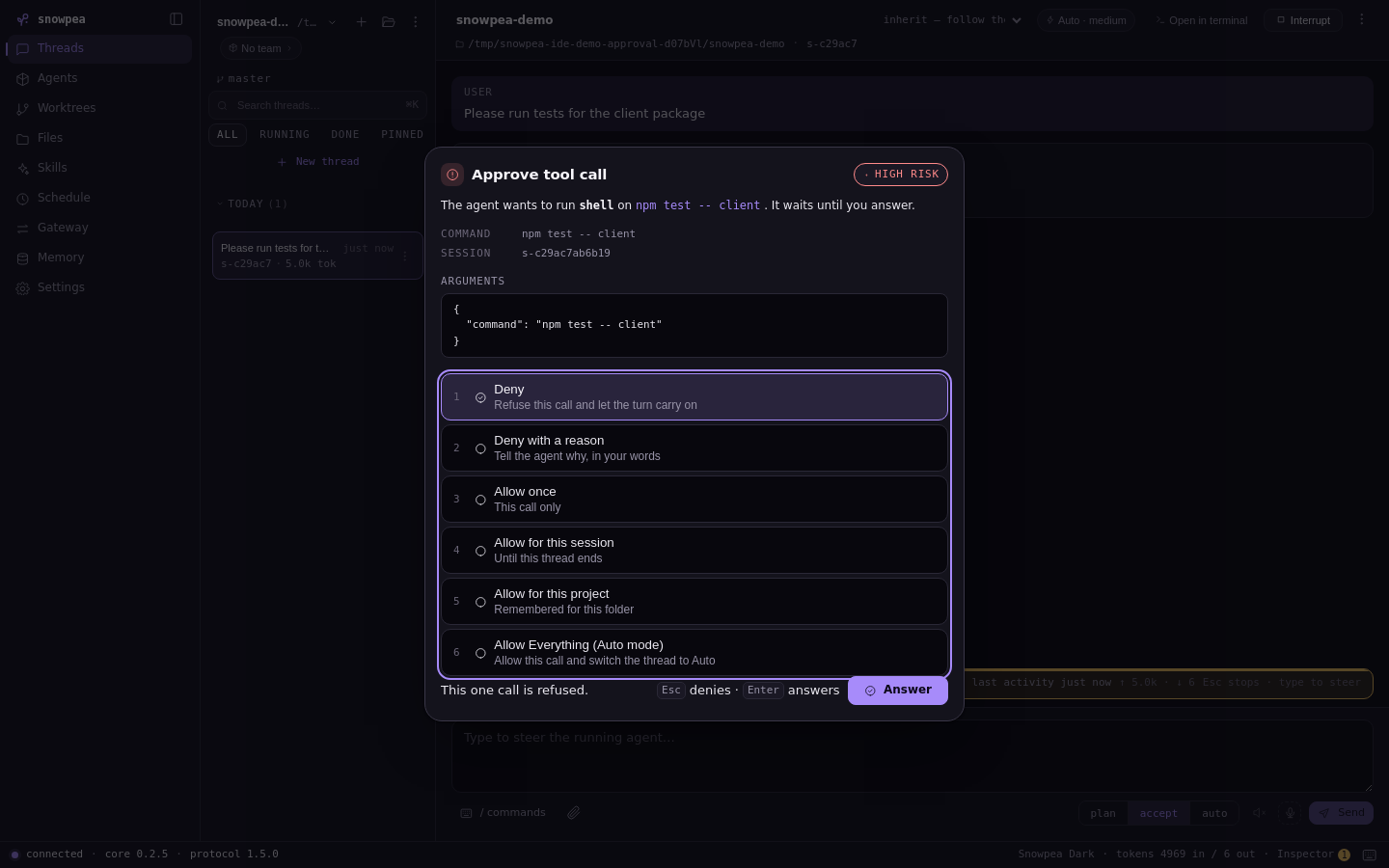
Asks, then acts

Risky steps need your confirmation each time. Only allowlisted ones go straight through.

Snowpea Agent
Snowpea Agent desktop app approval dialog for a tool call, showing the command and arguments with choices to deny, allow once, allow for the session or allow for the project.

Review

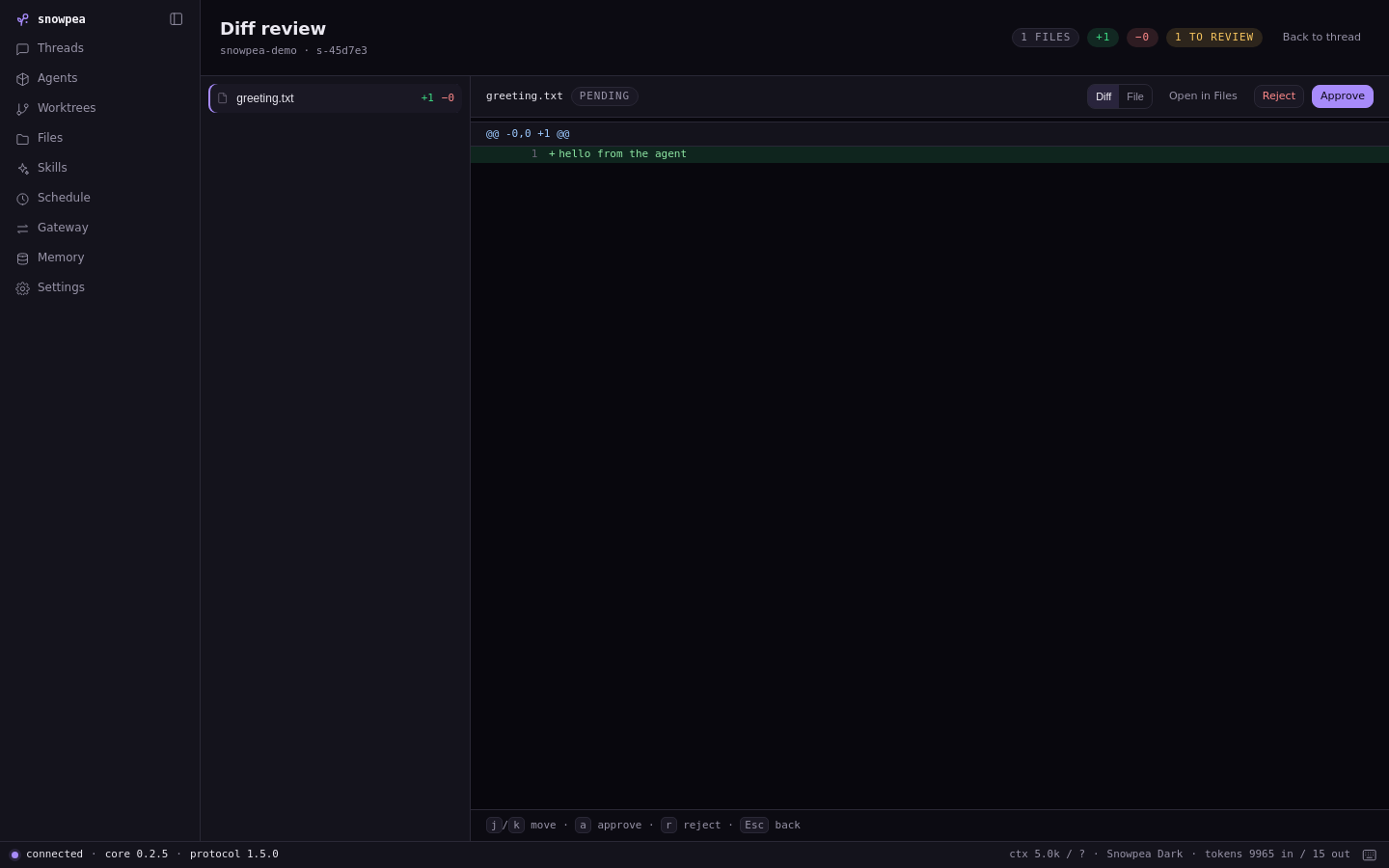
Only what changed. At a glance.

Every file the agent edits is gathered into a diff. Approve or reject file by file, entirely from the keyboard.

  • j / kmove
  • aapprove
  • rreject
Diff review
Snowpea Agent desktop app Diff review screen: a list of changed files, added lines, and approve and reject buttons.

Team

It doesn't work alone. It works as a team.

Split the job across subagents. In team mode each one runs in its own git worktree, all at once. Named agents stay with you for next time.

Your request
  • Researcher

    Collecting competitor sources

    worktree/researcher

  • Analyst

    Comparing price and features

    worktree/analyst

  • Writer

    Drafting the report

    worktree/writer

  • Reviewer

    Cross-checking the result

    worktree/reviewer

  • Subagents

    Break a big job down and hand each piece to one.

  • Team mode

    Runs in parallel through git worktrees, without stepping on each other.

  • Named agents

    Give an agent a role once and call it again later.

Memory and schedule

It remembers. And acts on time.

It keeps what you talked about, and quietly finishes work at the hour you set.

Long-term memory

Conversations and work are saved and found again the moment you need them, powered by SQLite full-text search.

the competitor price sheet from last month
  • Competitor comparison · last Tuesday
  • Pricing policy notes · Sep 12
  • Weekly report template · Sep 5
  • Customer interview summary · Aug 28
  • Quarterly goals outline · Aug 14

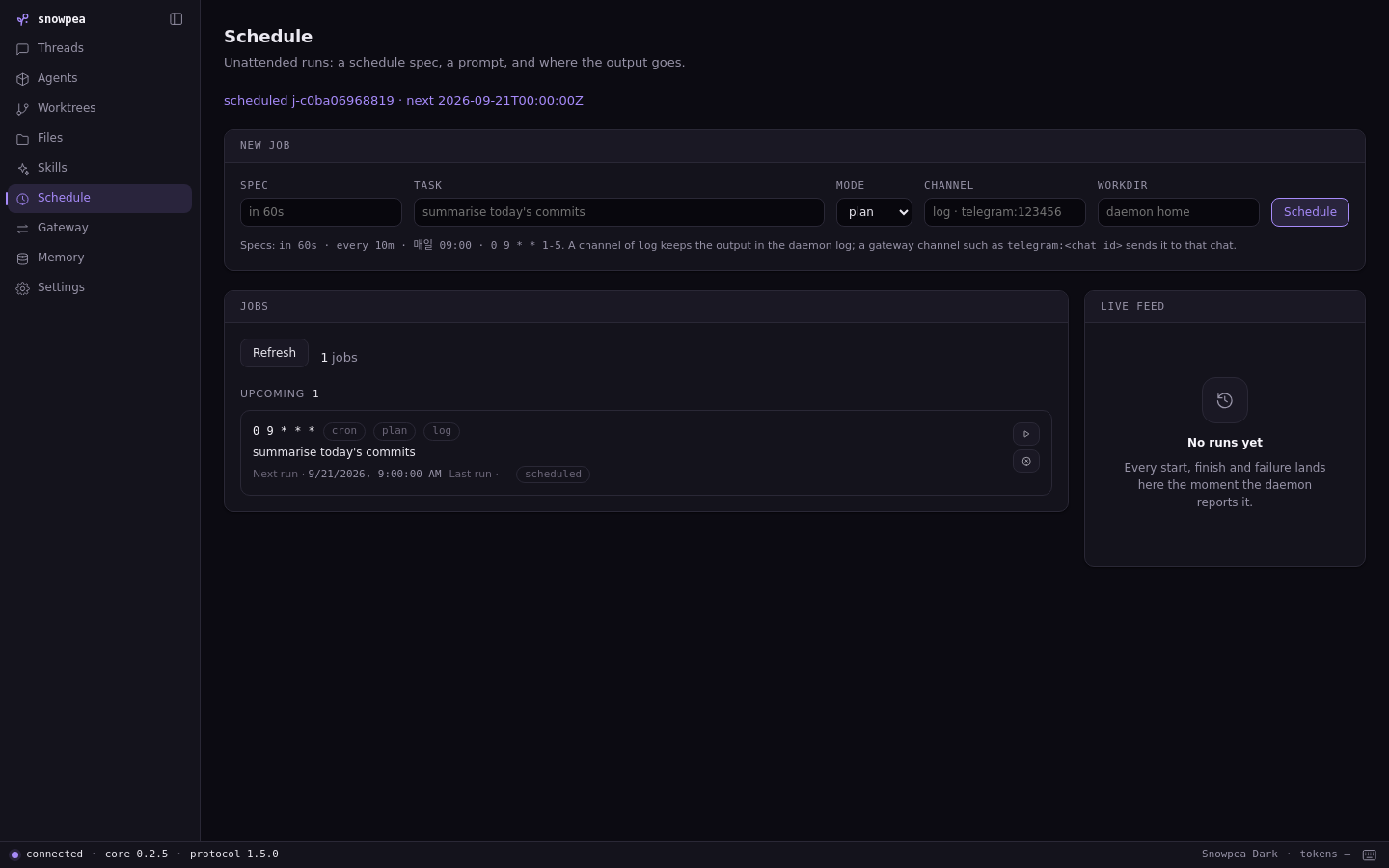
Scheduler

Schedule with a cron expression or plain words like “every day at 09:00”. Results arrive in the log or in your messenger.

  • every day 09:00
  • every 10m
  • 0 9 * * 1-5
Snowpea Agent desktop app Schedule screen: a form for the schedule spec, task, mode and output channel, with a list of scheduled jobs.

Messengers

Step away. The work carries on.

Talk to your agent and get its reports in Telegram, Discord or Slack. You can even hand things off by voice.

  • Telegram
  • Discord
  • Slack
  • Voice support

Snowpea Agent

Telegram · Discord · Slack

  • Pull together the weekly report
  • I gathered this week's work into a draft. Take a look.
  • Want me to send the same report automatically every Monday at 09:00?
Results from scheduled jobs land in the same channel.

Models and environment

Any model. Anywhere.

Choose from 11 LLM vendors. Run it on your own machine, in Docker, or on a server over SSH.

11

LLM vendors

Anthropic
OpenAI
OpenRouter
Gemini
xAI
GLM
MiniMax
Kimi
DeepSeek
Qwen
Any OpenAI-compatible endpoint
  • Your machine

    Runs locally on Linux, macOS and Windows.

  • Docker

    Runs inside a container to keep your environment clean.

  • SSH

    Let it work on a remote server and bring back only the result.

Also compatible with MCP and Claude Code plugins.

Where to use it

In the terminal. On the desktop.

Meet the same agent in a terminal UI, a desktop app or the TypeScript SDK. The desktop app runs on Linux, macOS and Windows.

Terminal

snowpea

> Compare our competitors

Plan

  1. 1.Search for competitor candidates
  2. 2.Collect pricing and feature sources
  3. 3.Build the comparison table
  4. 4.Generate the summary report

Proceed with this plan?

Approve · Edit · Cancel

Desktop app

Snowpea Agent
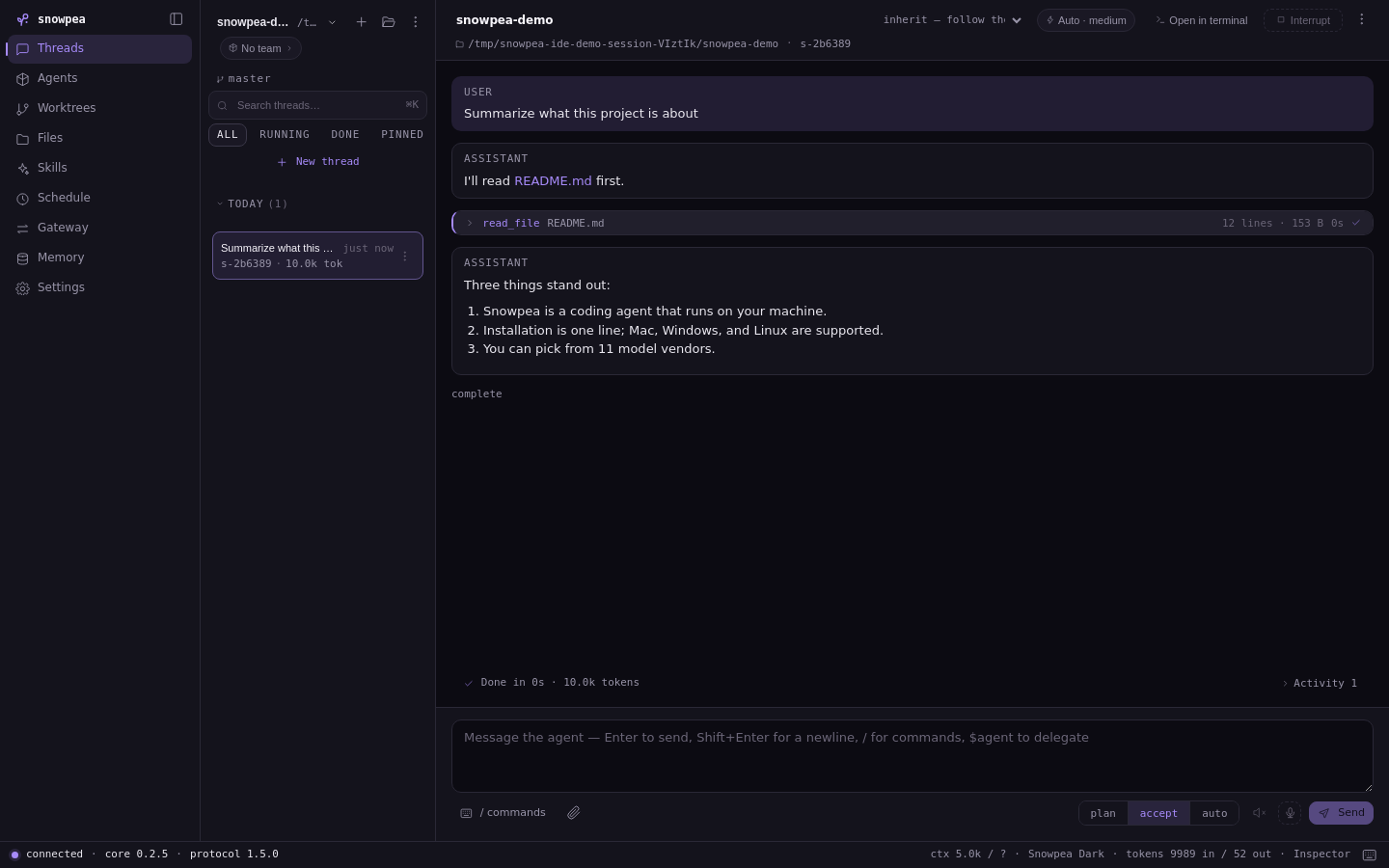
Snowpea Agent desktop app: a thread list and conversation, with the plan, accept and auto mode switch at the bottom.

TypeScript SDK

Just say it.Check the result.

Start with today's to-do list.

  • Update the competitor price sheet
  • Send me a news summary every morning
  • Organize this week's meeting notes